Organize your game backlog. Then actually beat it.
Vantage Point is a backlog tracker built for finishing games, not hoarding them. Focused lists sort what you're on now, what's next, and what can wait; stats show where your hours really go; and when you freeze up, the app can make the call for you.
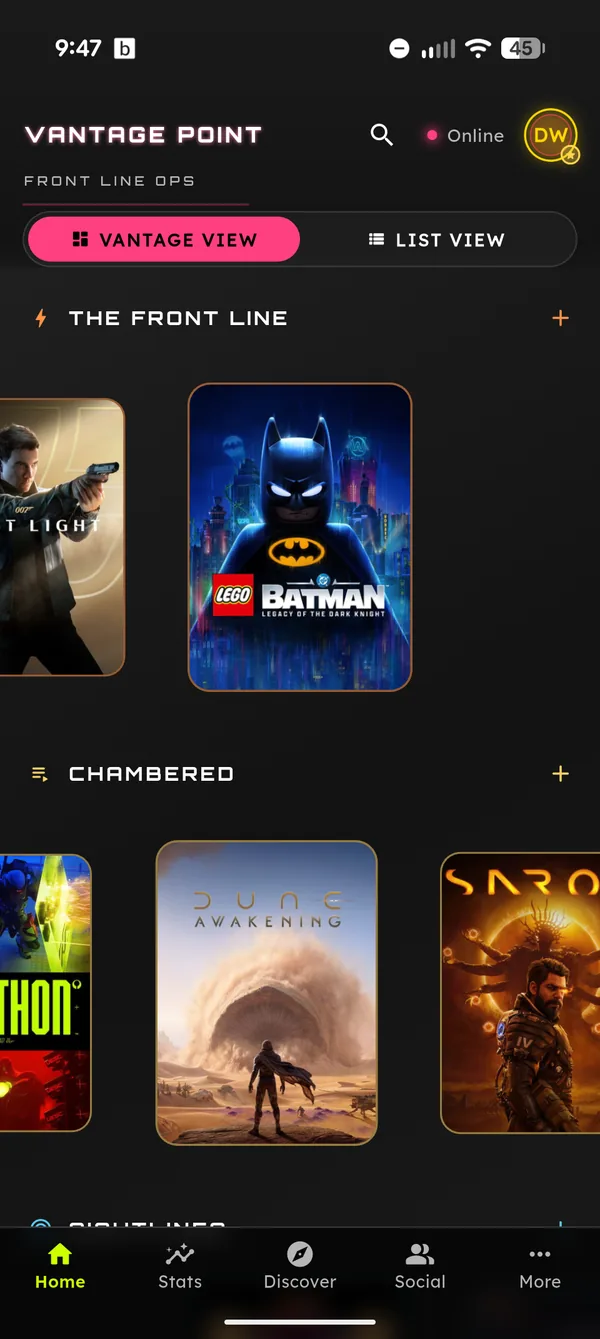
Lists shaped around how you actually play.
Front Line
The games you're actively playing. Keep it short and it keeps you honest.
Chambered
Loaded and next in line. Finish a game and the next pick is already waiting, no scroll through 400 covers required.
Sightlines
On your radar. Games you're eyeing for later sit here without cluttering what you're playing now.
Watchlist
Titles you're tracking but don't own yet, with price drops watched for you so you buy at the right moment.
Archive
Everything you've finished: the record your stats and recommendations are built on.
Backlog challenges
Set a challenge and let the app keep you accountable. Progress you can see beats promises you forget.
Can't decide? Let fate pick.
Choice paralysis is how backlogs win. When you can't pick, tap Let Fate Pick and the app calls it: one selection pulled from your own lists, so the answer is always a game you already decided to care about.
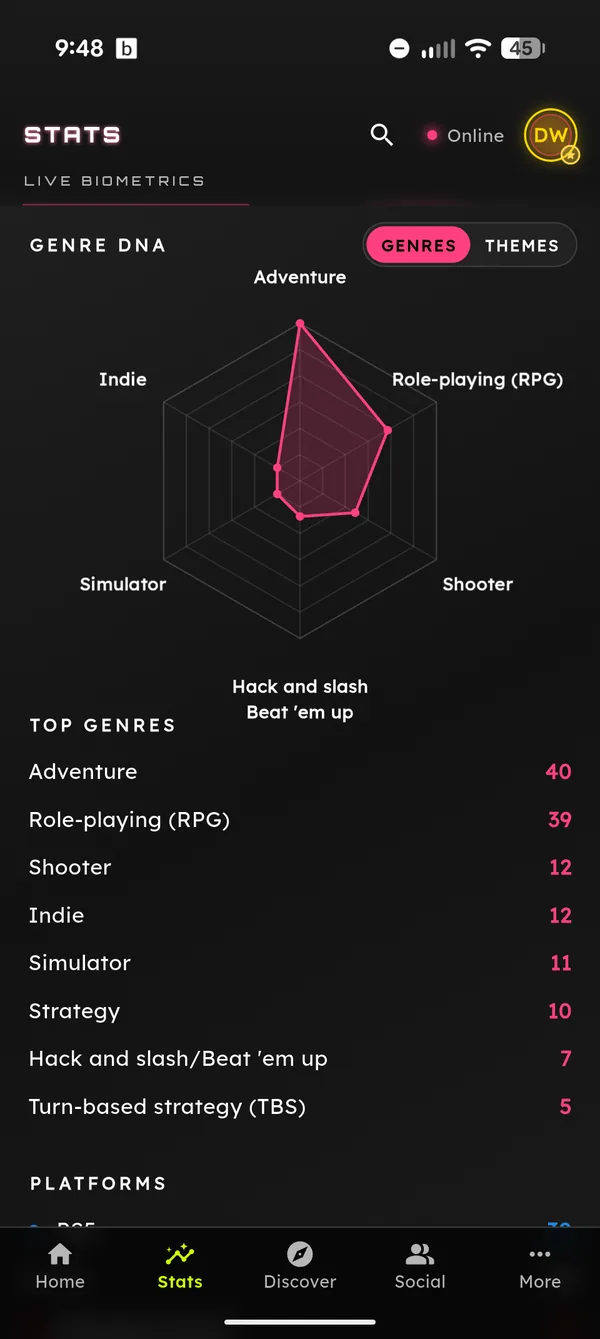
The stats keep you honest, too. A Genre DNA radar, year-by-year breakdowns, and time invested per list show the shape of what you actually play, which makes the next cut easier.
The fastest way to fill the lists is a one-tap import: bring in your Steam, Xbox, PlayStation, and RetroAchievements libraries and start sorted. When the Front Line runs dry, the discovery tools tell you what to promote next. Or see everything Vantage Point does.
Questions, answered.
How do the backlog lists work?
The lists map to how you actually play: Front Line is what you're on now, Chambered is what's loaded next, Sightlines is what's on your radar, the Watchlist tracks price drops on games you don't own yet, and the Archive holds what you've finished. Moving a game takes a tap, and your stats update to match.
What if I can't decide what to play?
Tap Let Fate Pick and the app pulls one game from your own lists, so you spend the evening playing instead of scrolling. The pick always comes from games you already chose to care about.
Can I import the backlog I already have?
Yes. One-tap imports cover Steam, Xbox, PlayStation, and RetroAchievements, and you can paste any plain list of titles and Vantage Point will match them for you.
Does it actually help me finish games?
That's the design goal. Short active lists keep focus, backlog challenges add accountability, and stats show progress. Vantage Point is built for finishing what you own, not for maximizing hours in an app.
Is Vantage Point free?
Free to download, with an unlimited library and all imports included. Pro is an optional upgrade that unlocks extra tools and cosmetics; nothing about tracking your backlog sits behind it.
The pile is not going to finish itself.
Download Vantage Point free on iPhone or Android, import your library in minutes, and turn the backlog into a queue with an actual end.
Free to download · Unlimited library · Pro is optional